
Materials & Craft
Vacuum-Formed Shell Tableau
Style guide
Close-fitting rounded corners, drafted mold walls and extremely thin trimmed edges reveal a vacuum-formed shell’s stretched surface and hollow back.

PortraitStyle effect

LandscapeStyle effect
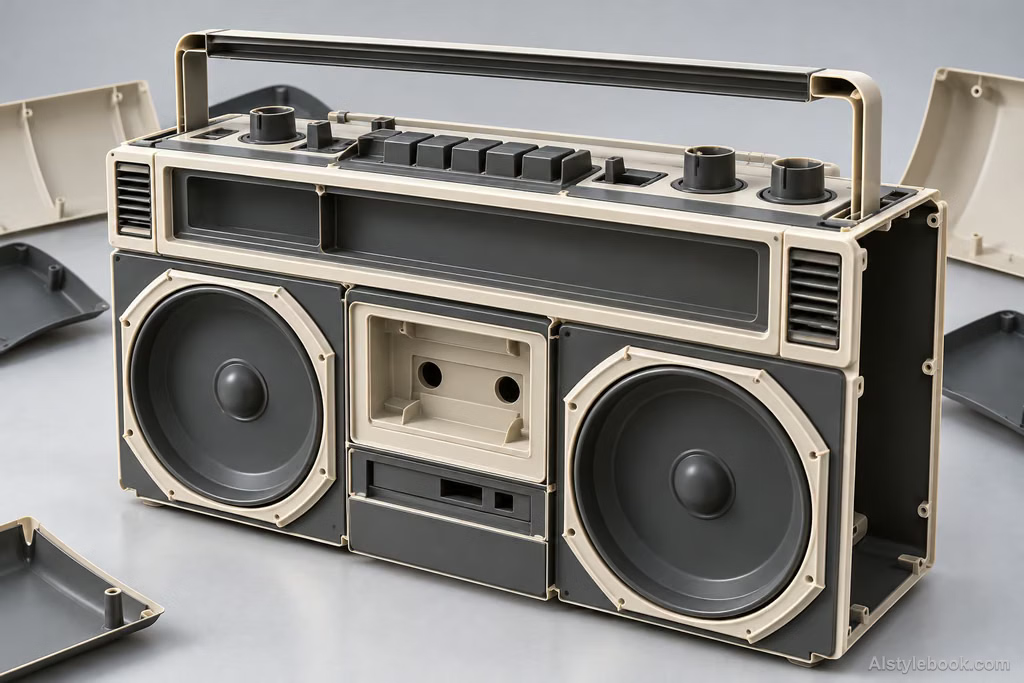
ObjectsStyle effect
The visual language
What is Vacuum-Formed Shell Tableau?
A very thin sheet stretches into a molded shell, with rounded corners, drafted walls and trimmed edges revealing the forming process. A hollow back and continuous reflections preserve both lightness and tangible shell thickness.
Vacuum forming draws a heated sheet over a mold, leaving continuous thin walls and trimmed edges.
Buildings raised from one shell can retain shallow window recesses and narrow reflective rims.
How the style changes different subjects
- Portrait
- A thin molded shell rounds features and connects clothing and body into one surface.
- Landscape
- Light molded contours emphasize rounded corners, trimmed edges and recesses.
- Objects
- Hollow shells replace objects, with thin walls and continuous highlights explaining form.
- Subjects
- Choose toys, masks, rounded products or simple figures with continuous contours and few deep undercuts.
Bring the style to your photos
Reusable style prompt for Vacuum-Formed Shell Tableau
Construct every form as a vacuum-formed thin plastic shell. Close-drawn rounded corners hug the volumes, details stretch evenly, and sidewalls show clear draft slopes. Retain extremely thin trimmed flanges and localized views of hollow backs. Derive colors from the original palette and reveal the forming process through gentle plastic reflections, drawn channels and thin-edge shadows, giving both surfaces and contours a tangible lightweight shell thickness.Use the same style prompt for portraits, landscapes and objects.
Create with this styleKeep exploring


