
Light & Image Effects
Video-Feedback Tunnel
Style guide
Repeated shrinking and slight rotation create a recursive corridor, with fading copies and edge brightness establishing a video-feedback tunnel.
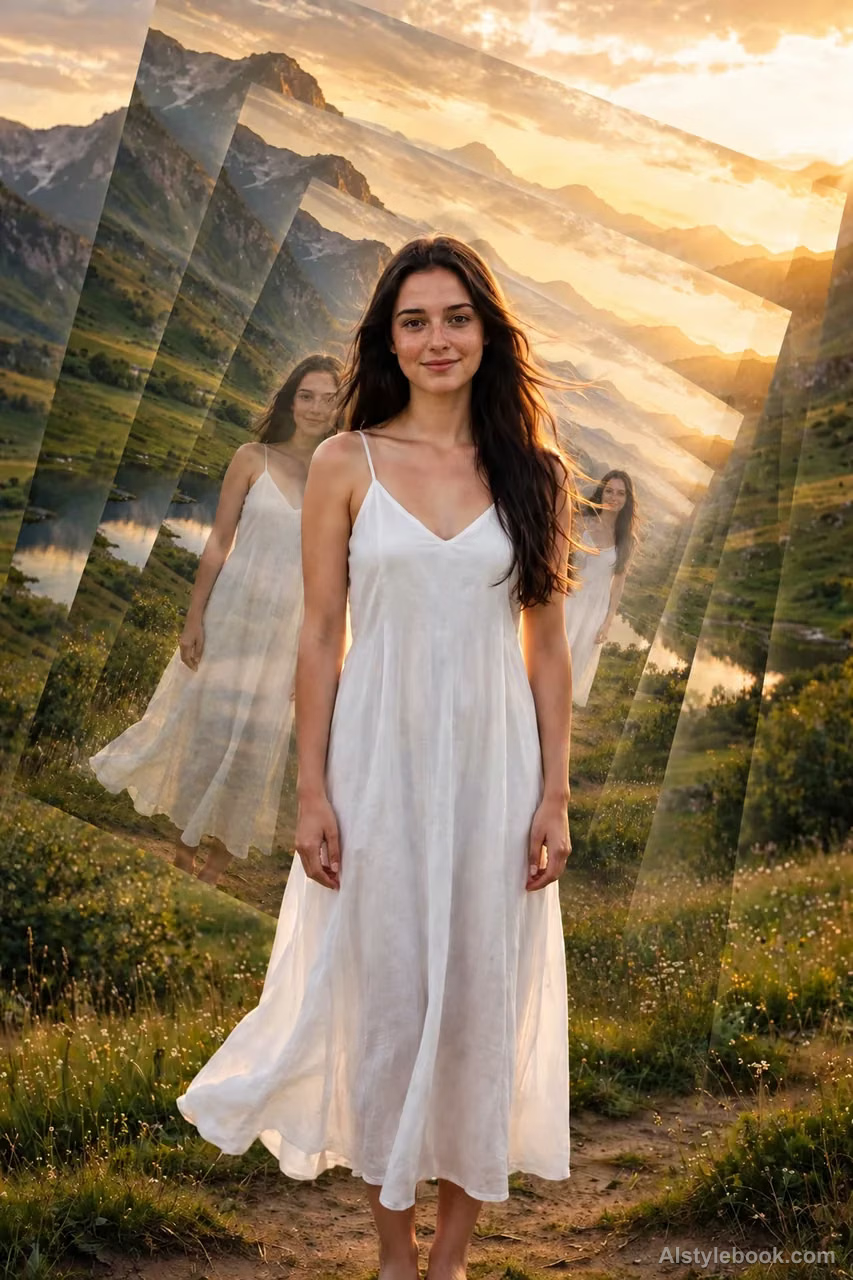
PortraitStyle effect

LandscapeStyle effect

ObjectsStyle effect
The visual language
What is Video-Feedback Tunnel?
The same image repeatedly shrinks and rotates slightly, its edges creating recursive depth toward the center. Ordered fading and brightness changes make the effect read as feedback rather than random collage.
Video feedback creates recursion by reintroducing an image into itself.
A doorway containing successively smaller, slightly rotated doorways can make space seem to recede into its own image.
How the style changes different subjects
- Portrait
- Repeated, rotated or recursively scaled fragments shift attention from the intact face to rhythm.
- Landscape
- Scenic edges converge into mirrored patterns or nested tunnel-like depth.
- Objects
- Repeated objects become units of radial or recursive composition.
- Subjects
- Choose flowers, architectural details, geometric objects or clear portraits whose colors and contours make repetition readable.
Bring the style to your photos
Reusable style prompt for Video-Feedback Tunnel
Organize the same image into a controlled video-feedback tunnel. A complete, clear first layer remains visually dominant while approximately five successively smaller, faint copies recede toward one center, each with a slight rotation in the same direction. Align recurring contours into a continuous spatial progression and allow restrained edge brightness to accumulate. Keep the largest layer recognizable and its original positional relationships readable.Use the same style prompt for portraits, landscapes and objects.
Create with this styleKeep exploring


