
Light & Image Effects
VHS Glitch
Style guide
Horizontal tracking lines, color-edge bleed and softened grain recreate old videotape texture with controlled, readable distortion.

PortraitStyle effect

LandscapeStyle effect
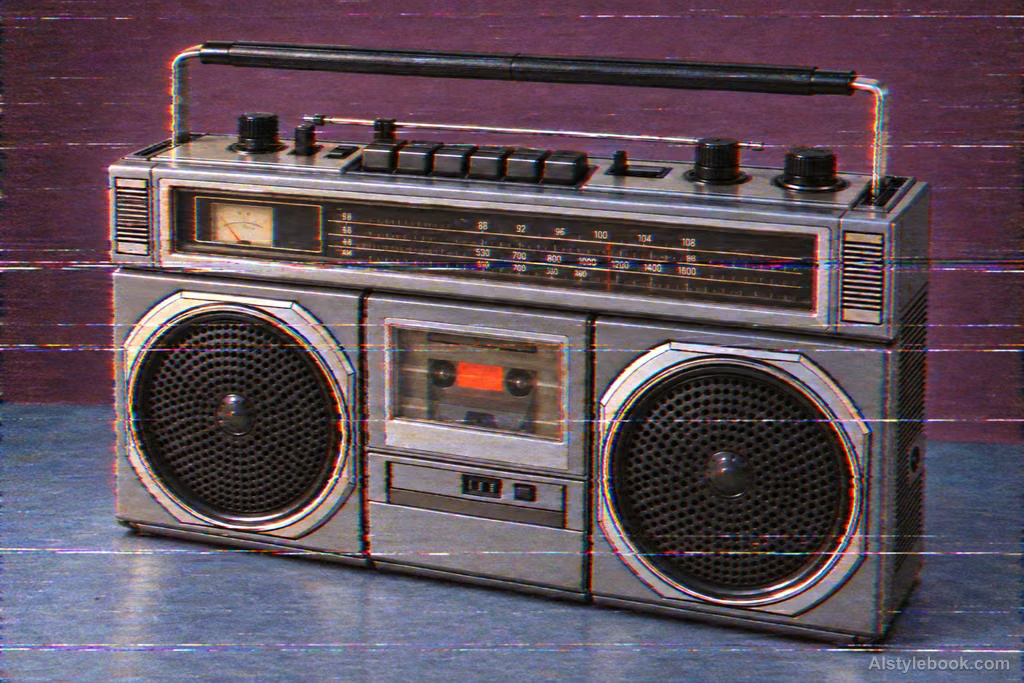
ObjectsStyle effect
The visual language
What is VHS Glitch?
Horizontal tracking marks, slight color bleed and scan softness sit over an otherwise readable image. Directional, controlled distortion keeps the subject from disappearing into random noise.
VHS-style distortion combines directional tracking errors, color bleed and softened detail.
A shifted strip near the lower edge and a bleeding red contour can suggest playback without destroying the scene.
How the style changes different subjects
- Portrait
- Tracking shifts, color fringes or block trails interrupt selected features and clothing.
- Landscape
- Directional smears or mismatched blocks turn scenery into an unstable video image.
- Objects
- Displaced edges and reflections contrast with intact parts of the object's shape.
- Subjects
- Choose stage figures, night streets, electronics or machines with a readable face or silhouette as a stable anchor.
Bring the style to your photos
Reusable style prompt for VHS Glitch
Reproduce the low resolution and softened detail of an old analog video signal. Add fine analog noise, horizontal tracking lines, localized scan-line displacement, and slight red-blue fringe separation. Let colors bleed and fade gently, with heavier grain in shadows and soft highlight spill. Keep distortion consistent with horizontal signal behavior, strong enough to convey vintage video texture without obscuring the subject. Avoid random large pixel damage.Use the same style prompt for portraits, landscapes and objects.
Create with this styleKeep exploring


